

Introduction to Blogging: What is a Blog?
A blog is a type of website that focuses mainly on written content, also known as blog posts. This guide is for aspiring bloggers, small business owners, and anyone looking to build an online presence in 2026. In today's web landscape, blogs remain a powerful tool for building your online presence.
A blog is a type of website primarily focused on written content known as blog posts. Bloggers share their thoughts, experiences, and expertise on virtually any topic, connecting personally with readers through their posts and interactive comments sections. This personal connection helps build trust and loyalty, which can open up opportunities to monetize your successful blog.
Choosing the right blogging platform is crucial for establishing a successful online presence and reaching your goals in the evolving digital landscape. We will compare the top 10 blogging platforms, discuss key selection criteria, and highlight essential trends for success.
The internet continues to grow rapidly, providing more potential readers than ever before to discover your blog online. Whether you want to share your passion, build a community, or create a business, blogging offers a versatile platform to establish your voice on the web. Starting a new blog can be just the start of your journey into the world of content creation and online influence.
Summary Table: Top 10 Blogs Web Platforms
Below is a quick overview of the top 10 blogs web platforms, each with a brief description to help you compare your options:
|
Platform |
Description |
|---|---|
|
WordPress.org |
The most popular blogging platform, powering over 43% of all websites on the internet. [1] |
|
WordPress.com |
A hosted version of WordPress that offers a free account for quick blogging, but with some limitations. |
|
Wix |
A popular hosted platform for building websites, with over 110 million users worldwide. [3] |
|
Weebly |
A well-known website builder platform that offers straightforward, easy-to-use website-building tools ideal for business websites and eCommerce stores. [4] |
|
Medium |
A free blogging platform focused on writing and audience reach, with limited design control. |
|
Blogger |
A free blogging site provided by Google, suitable for beginners. |
|
Substack |
A free blogging and newsletter platform ideal for writers looking to monetize through paid subscribers. |
|
Ghost |
A minimalist blogging platform focused on writing blog posts, sending newsletters, and offering memberships. [5] |
|
HubSpot CMS Hub |
A powerful, all-in-one blogging platform designed for websites of all sizes, from small businesses to large enterprises. |
|
Squarespace |
A premier website-building service that lets you create beautiful websites using easy drag-and-drop tools. |
Why Choose the Right Blogging Platform?
Selecting the right blogging platform is one of the most important decisions when you start a blog. The platform you choose will affect your blog’s performance, customization options, monetization capabilities, and overall success. This very informative post will guide you through the key factors to consider, helping you pick a platform that fits your needs perfectly.
Now that you understand the importance of choosing the right platform, let's look at the key factors to consider when making your decision.
Key Factors to Consider When Choosing a Blogging Platform
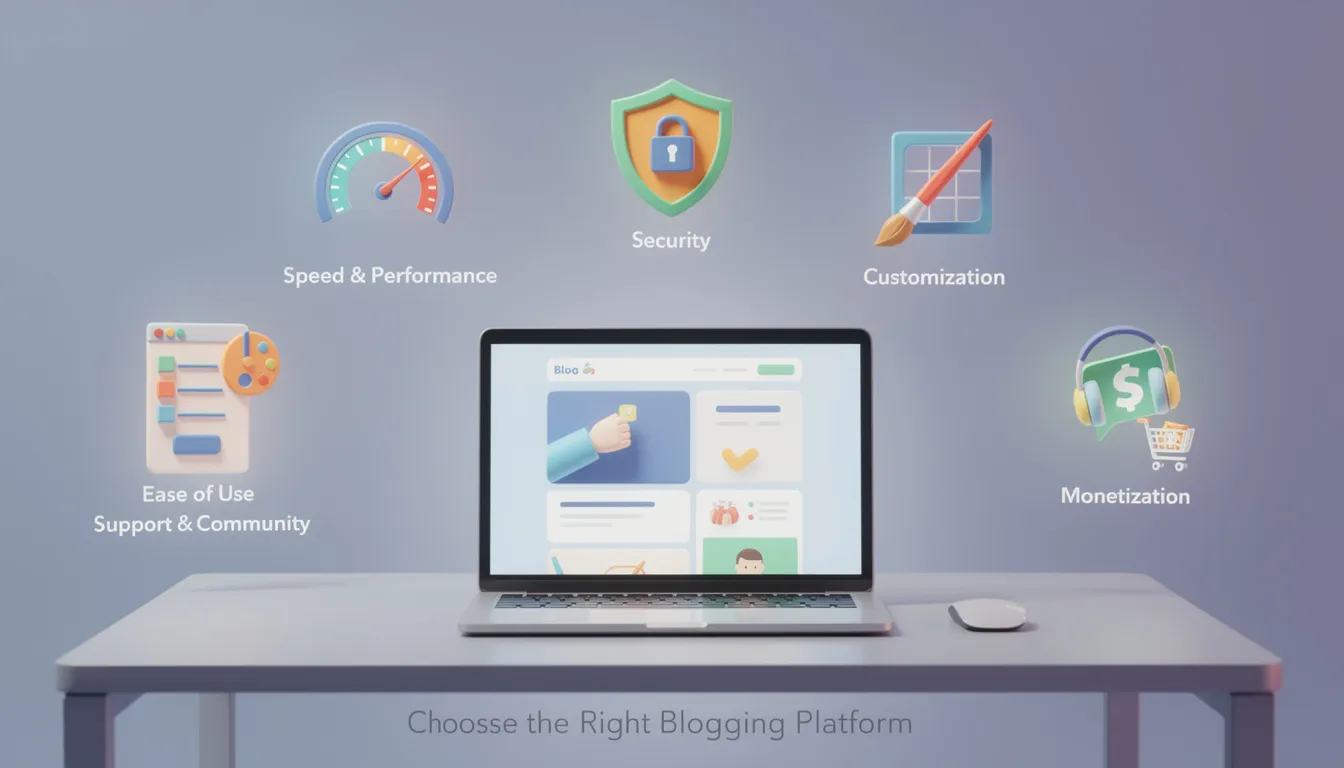
When evaluating free blogging sites or paid platforms, keep these critical factors in mind:
-
Speed and Performance: Site speed is vital for keeping readers engaged and improving search engine rankings. In 2026, mastering performance-first design is crucial as speed serves as both a trust signal to visitors and a key business requirement.
-
Security: A blog secure from threats ensures trustworthiness and protects your content. Providers like Bluehost and Hostinger offer free SSL certificates from the first post, safeguarding your site and visitors.
-
Customization: The ability to tailor your blog's design and functionality to fit your brand is essential. Look for platforms that offer flexible visual customization options, such as a wide range of themes, color schemes, typography choices, and CSS control. Platforms like self hosted WordPress provide access to thousands of plugins and custom themes for extensive customization.
-
Ease of Use: Platforms should offer intuitive interfaces for creating and managing content, enabling bloggers of all skill levels to publish content effectively. WordPress’s dashboard allows you to write and publish blog posts easily, while engaging with your visitors through comments helps build connection and trust.
-
Support and Community: Access to customer support and an active user community can help you grow and troubleshoot. The vibrant WordPress community is a prime example, sharing free tools, themes, and plugins.
-
Monetization Options: Consider whether the platform allows you to monetize your blog through ads, affiliate marketing, selling products, or subscriptions. WordPress.org offers full monetization flexibility, while hosted platforms like WordPress.com limit monetization options.
Now that you know what to look for, let's explore the most popular blogging platforms available.
Overview of Popular Blogging Platforms
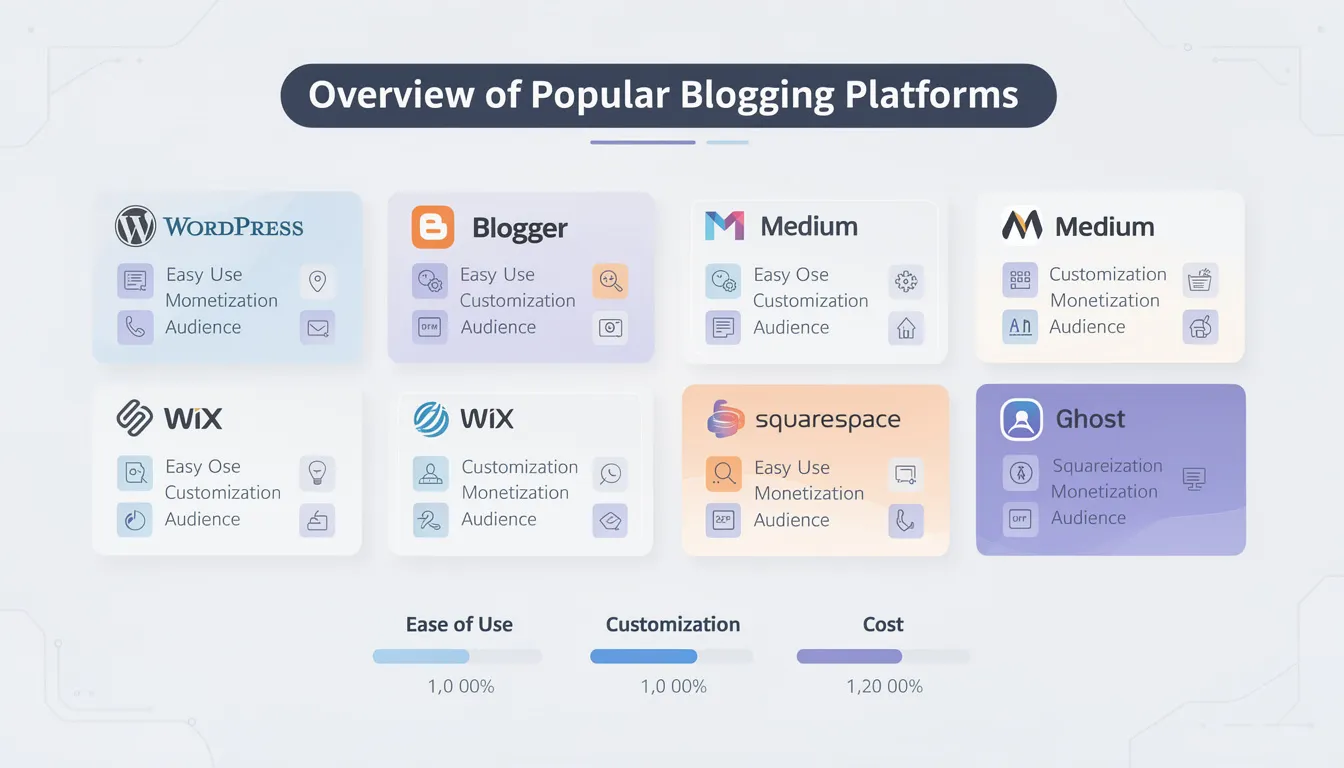
There are many blogging sites available, each with unique features and benefits. Here is an overview of some of the most popular free blogging platforms and paid options:
-
WordPress.org: The most popular blogging platform, offering complete control with a self hosted WordPress setup. Requires a custom domain name and web hosting but provides all the features needed for a professional blog or online store.
-
WordPress.com: A hosted platform that offers a free account to start blogging quickly but with limitations such as WordPress branding, ads, and restricted monetization.
-
Wix: A versatile blogging platform with a free website option that includes drag-and-drop customization and ecommerce features.
-
Medium: A free blogging platform focused on writing and audience reach with limited design control.
-
Blogger: A free blogging site provided by Google, suitable for beginners.
-
Substack: A free blogging and newsletter platform ideal for writers looking to monetize through paid subscribers.
-
Weebly: Offers a free plan with branding, suitable for small business owners and ecommerce.
There are also other blogging platforms such as Tumblr, LinkedIn, Joomla, and Drupal. While there are many options available, this overview focuses on the most suitable platforms for specific purposes.
With an understanding of the available platforms, let's dive deeper into what makes WordPress.org stand out as the best blogging platform.
Best Blogging Platform: Why WordPress.org Stands Out
What is WordPress.org?
WordPress.org is the world's most popular blogging platform, powering more than 43% of all websites on the internet. It is a self hosted WordPress content management system that requires users to sign up with a hosting provider and purchase a custom domain name. While the WordPress software itself is completely free, associated costs include hosting and domain registration.
Key Advantages of WordPress.org
-
Complete Control: You have full ownership of your entire blog, including design, content, and monetization strategies.
-
Extensive Customization: With thousands of free and premium plugins and themes, you can tailor your blog to meet any need—from simple blogs to complex online stores with ecommerce features.
-
Powerful SEO Tools: WordPress.org supports a wide range of SEO plugins that help your blog rank higher in search results.
-
Monetization Flexibility: Unlike hosted platforms, WordPress.org imposes no restrictions on how you monetize your blog.
Hosting Providers for WordPress.org
Choosing a reliable hosting provider is essential to maximize WordPress.org’s benefits. Recommended hosting providers include:
-
Bluehost: Starting at $1.99 per month, Bluehost offers an affordable plan that includes a free domain name for the first year, free SSL certificates for site security, one-click WordPress installation, and comprehensive beginner-friendly features. Bluehost is highly recommended for beginners due to its ease of use and all the essential features that simplify the blogging journey.
-
Hostinger: Hostinger’s budget-friendly plans start at $2.49 per month and allow you to host multiple blogs under one account. Plans include a free domain for the first year and unlimited SSL certificates to keep all your sites secure. Hostinger Website Builder is an all-in-one platform ideal for creating blogs, small business websites, portfolios, or online stores, making it a versatile blogging platform for various needs.
-
SiteGround: Known for fast speed, excellent customer support, daily backups, and plans starting at $2.99 per month with free domain and SSL certificates, SiteGround ensures reliability and performance as your blog grows.
Many web hosts that offer cheaper plans do not include essential features, leading to higher overall costs. Hosting providers typically offer different pricing tiers, such as a business plan designed for small businesses and online stores, which includes advanced features. Most quality web hosting companies are paid services, as free hosting options often come with limitations such as ads, restricted control, or lack of essential features—certain customization options, like connecting a custom domain or accessing premium themes, may only be available on a paid plan.
With hosting and platform options in mind, let's look at how WordPress.com compares as a hosted alternative.
WordPress.com: A Hosted Alternative with Limitations
WordPress.com is a hosted service that offers a simplified version of the WordPress.org platform. It allows users to start a free blog quickly with basic blogging tools and free themes, making it an attractive choice for beginners who want to start blogging without the need for technical setup or managing hosting.
However, the basic WordPress.com free account prominently features WordPress.com ads and branding on your blog, which can affect the professional appearance of your site. Additionally, WordPress.com limits users in terms of monetization options compared to WordPress.org. For example, users on the free plan cannot run their own ads or monetize their content freely and must upgrade to paid plans to unlock features such as custom domains, additional storage, and advanced design tools.
While WordPress.com offers convenience and ease of use, it lacks the full control and customization that self hosted WordPress.org provides. Users who want to scale their blogs, fully customize their design, or monetize extensively often transition from WordPress.com to WordPress.org as their blogging journey progresses.
Next, let's compare the differences between hosted and self-hosted blogging platforms.
Types of Blogging Platforms: Hosted vs Self-Hosted
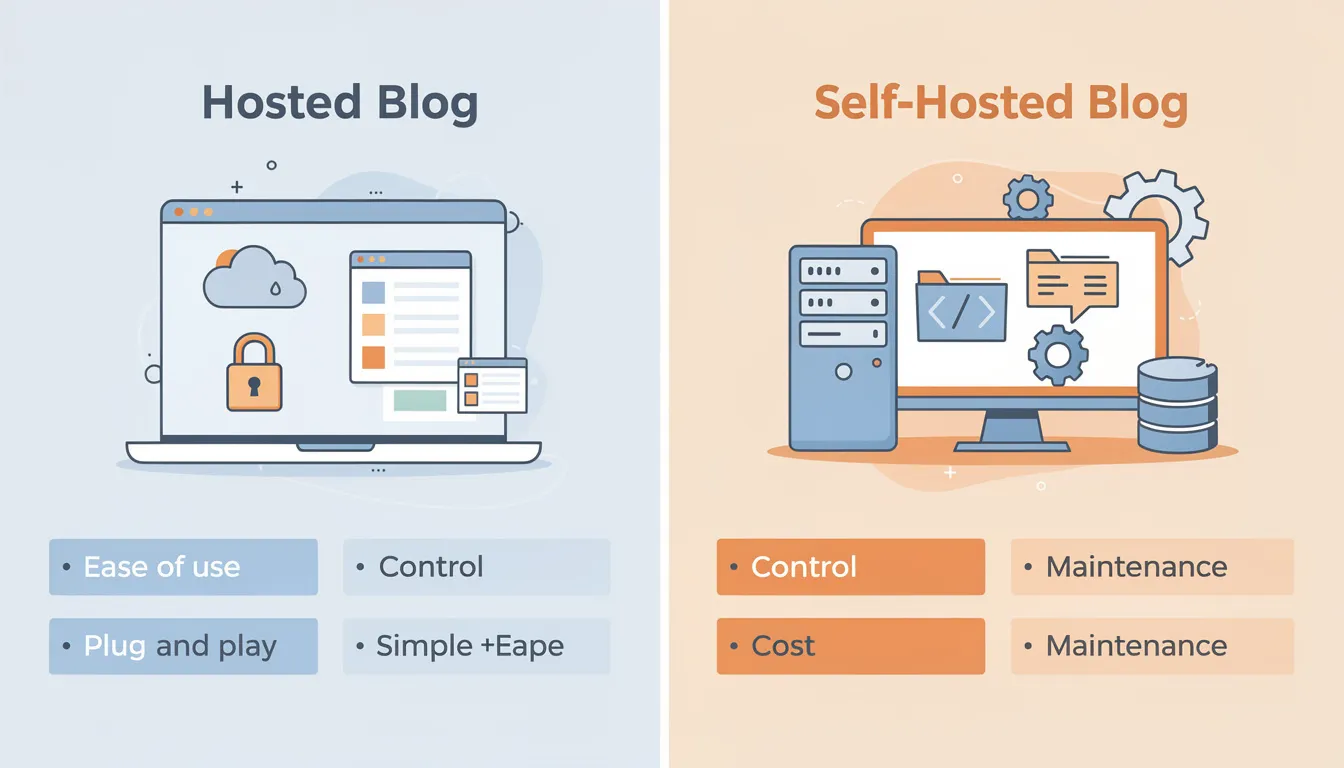
Hosted Platforms: Convenience with Some Limitations
Hosted platforms provide an all-in-one solution where hosting, domain, and software are managed for you. They are beginner-friendly but may limit customization and monetization options.
-
Medium: Since its launch in 2012, Medium has grown into a community of writers, bloggers, journalists, and experts. It offers a distraction-free writing platform with built-in audience reach but limited design control.
-
Wix: A popular hosted platform for building websites, with over 110 million users worldwide. Wix provides a completely free plan allowing you to create and launch a website with blog functionality without financial commitment.
-
Weebly: A well-known website builder platform offering a limited free version that comes with Weebly branding and ads, ideal for small business owners and ecommerce stores.
-
Substack: A free, subscription-focused platform that allows writers to monetize their content through paid subscribers, perfect for writers looking to build a paying audience.
Self-Hosted Platforms: Full Control and Flexibility
Self-hosted platforms like WordPress.org require users to purchase domain registration and hosting accounts but offer full control and flexibility.
-
You install WordPress software on your hosting account.
-
You manage your blog’s design, plugins, and monetization.
-
Recommended hosting providers include Bluehost, Hostinger, and SiteGround.
Some self-hosted platforms, such as Jekyll, may require a web developer to handle command line setup and deployment.
Now that you know the types of platforms available, let's walk through the steps to set up your blog online.
Setting Up Your Blog Online: Step-by-Step
Step 1: Choose a Blog Topic
Once you have a blog topic—something you are passionate about and that resonates with a target audience—it’s time to choose your blog name, also known as your domain name. A good domain name is descriptive, easy to remember, and reflects your blog’s brand.
Step 2: Register a Domain Name
Registering your domain name is essential to claim your blog’s online identity. Many web hosting companies like Bluehost offer domain registration services, often including a free domain for the first year.
Step 3: Select a Blog Host
A blog host is a company that stores all of your blog’s files and delivers them to visitors when they type in your blog name. Reliable blog hosting ensures your blog is always accessible, loads quickly, and remains secure.
Choosing a quality host is crucial for site speed, security, and future growth. Hosting providers often offer one-click WordPress installation to simplify setup, making it possible to get your blog online quickly.
Step 4: Install WordPress
Using one-click installers from hosting providers like Bluehost or Hostinger, you can install WordPress in minutes. In fact, you can create a blog in about 20 minutes following a step-by-step guide. Once installed, log in to your WordPress dashboard to customize your blog’s design using free themes or premium custom themes.
You can add a blog section, pages, and menus to organize your content effectively. Free themes and plugins offer all the features you need to create a professional and engaging blog site. There are also many video tutorials available to guide you step-by-step through setting up, designing, and managing your WordPress website.
With your blog set up, it's time to focus on design to ensure your site is visually engaging and user-friendly.
Designing a Visually Engaging and User-Friendly Blog Site
Let's begin with the foundational principles of blog design before exploring specific features and tools.
Importance of Design and User Experience
Designing a blog site is a pivotal step in building a strong online presence and ensuring your content stands out in a crowded digital landscape. A well-designed blog not only attracts visitors but also keeps them engaged, encourages them to explore more of your content, and helps establish your brand identity from the very first click.
User experience should always be at the forefront of your blog’s design. A well-designed blog site features:
-
Intuitive navigation
-
Clear menus
-
A clean, responsive layout that looks great on any device
These elements help foster community and keep your audience coming back for more.
Choosing a Theme
When you set out to create a blog, selecting the right blogging platform is essential. WordPress remains a top choice for most bloggers thanks to its versatility, user-friendly interface, and the ability to start a blog online quickly—even with a completely free plan.
With WordPress, you can launch a free blog using a wide selection of free themes and basic blogging tools, or take your site to the next level with custom themes and advanced features. The platform’s flexibility allows you to tailor your blog site to your unique style and needs, whether you’re just starting out or looking to grow a successful blog.
A custom domain name is another key element in designing a professional blog site. Securing your own custom domain not only makes your blog more memorable but also enhances your credibility with readers and search engines alike. Many web hosting companies, such as Bluehost and Hostinger, offer free domain registration for the first year when you sign up for a hosting plan, making it easier than ever to claim your online identity and get your blog online quickly.
Optimizing for SEO
Optimizing your blog for search engines is crucial for driving organic traffic and improving your visibility in search results. WordPress offers a range of powerful SEO tools and plugins that help you optimize your blog posts, from keyword research to meta descriptions and image alt tags. Many web hosting companies also provide built-in SEO tools and guidance, ensuring your blog site is set up for success from day one.
Enhancing User Experience
To further enhance user experience, consider including features such as:
-
Social sharing buttons
-
Comment sections
-
Easy-to-read blog sections
-
Responsive design for mobile and desktop
-
Fast loading times
Once your blog site is designed, publishing blog posts is simple and efficient. WordPress makes it easy to draft, schedule, and publish content, so you can maintain a consistent posting schedule and keep your readers engaged.
As your blog grows, you can explore monetization options such as Google AdSense, affiliate marketing, or even launching an online store—all supported by the essential features of your chosen blogging platform.
In summary, designing a blog site that is both visually appealing and user-friendly is key to building a successful online presence. By leveraging a versatile blogging platform like WordPress, securing a custom domain name, utilizing SEO tools, and focusing on user experience, you can create a blog site that not only attracts visitors but also turns them into loyal readers.
With your blog designed and ready, let's move on to creating and publishing your first blog posts.
Creating and Publishing Blog Posts
Your blog posts are the core content of your blog. Writing high-quality, engaging, and informative posts provides value to your readers and encourages them to return. Use SEO tools and plugins available in WordPress to optimize your posts for search engines.
Publishing blog posts regularly keeps your audience engaged and helps your blog grow.
Now that your content is live, it's time to promote your blog and grow your audience.
Promoting Your Blog: Strategies to Grow Your Audience
Promoting your blog is essential to attract visitors, especially when you first start. Without promotion, even the best content may remain unseen. Effective strategies include:
-
Social Media: Use platforms like Facebook, Twitter, Instagram, LinkedIn, and others to share your content and reach a wider audience.
-
Email Marketing: Creating an email list helps keep your current visitors coming back by notifying them of new content.
-
Collaborations: Partner with other bloggers to guest post, share audiences, and grow your reach.
-
Engaging with Others: Actively comment on other's blogs, collaborate on guest posts, promote each other's blogs and products, and foster interactions through comments and social media within blogging communities to build strong relationships.
-
SEO Optimization: Use WordPress plugins such as Yoast SEO or All in One SEO to improve your blog’s visibility in search engines.
With your promotional strategies in place, you can start thinking about monetizing your blog.
Monetizing Your Blog: Turning Passion into Profit
Once your blog begins to attract traffic, you can monetize it through various methods:
-
Selling advertising space using services like Google AdSense
-
Affiliate marketing by promoting products and earning commissions
-
Selling your own products or services, including digital downloads, memberships, and ecommerce features
-
Utilizing subscription platforms like Substack, which allows writers to monetize content through paid subscribers
Remember, blogging takes work and dedication, and it may take time to start seeing a steady stream of income.
As you grow your blog, you may want to explore additional platforms and resources to expand your reach and skills.
Additional Popular Blogging Platforms to Explore
Besides WordPress, other notable blogging sites include:
-
Blogger: A free blogging service by Google, launched in 1999 and acquired by Google in 2003, suitable for beginners.
-
Ghost: A minimalist platform focused on writing, newsletters, and memberships.
-
LinkedIn: A professional network that allows publishing articles to a business-focused audience.
-
HubSpot CMS Hub: A powerful, all-in-one blogging platform designed for websites of all sizes, from small businesses to large enterprises.
-
Squarespace: A premier website-building service that lets you create beautiful websites using easy drag-and-drop tools.
To stay ahead, it's important to keep up with the latest blogging and web development trends.
Keeping Up with Blogging and Web Development Trends in 2026
Essential Trends to Follow
To stay competitive and relevant in 2026, it’s important to follow key trends and resources in web development and blogging:
-
AI Integration: Automating repetitive tasks and enhancing user experience is becoming standard. The role of web developers is shifting towards coordination and architectural thinking due to AI handling routine work.
-
Performance Optimization: Mastering performance-first design is crucial as site speed is a critical trust signal and business requirement.
-
Accessibility and Sustainable Web Design: In 2026, accessibility compliance under WCAG 2.2 and sustainable web design practices become baseline requirements for website visibility and legal compliance. These standards ensure inclusivity for all users and promote environmentally responsible web development.
-
Transitioning to Composable and Headless Architectures: Blogs provide guidance on moving away from traditional monolithic systems toward composable and headless architectures. This transition offers greater flexibility, scalability, and the ability to deliver content seamlessly across multiple platforms and devices, adapting to modern web demands.
Recommended Resources and Communities
-
Web.dev: A Google resource focused on modern web development best practices, especially in performance and accessibility.
-
UX Collective: A community-driven Medium publication curating articles on user experience, visual design, and product design.
-
David Walsh Blog: Offers practical JavaScript tutorials and browser API experiments, managed by a Mozilla developer. [6]
-
CSS-Tricks: Originally focused on CSS, now includes front-end development topics like HTML, JavaScript, and web design.
-
MDN Web Docs: The definitive technical documentation for HTML, CSS, JavaScript, and web APIs, maintained by Mozilla. [7]
-
A List Apart: Covers the design, development, and meaning of web content, focusing on web standards, best practices, and user experience.
-
Awwwards: Awards exceptional website design and features interviews and case studies on current design trends such as dynamic dark mode and light skeuomorphism.
-
Nielsen Norman Group: Provides evidence-based articles and best practices on usability, user research, and interface design.
-
Dev.to: A developer-driven community for sharing tutorials, career advice, and open-source projects across various programming languages. [9]
-
SitePoint: Offers a library of articles, tutorials, and courses on HTML, CSS, JavaScript, PHP, design, and UX.
-
Webdesigner Depot: Features articles, tutorials, and resources covering web design, development, and business tips for freelancers.
-
Codrops: Provides tutorials and code snippets for innovations in web design and trends in UI animations and effects.
-
Smashing Magazine: Offers in-depth articles, tutorials, and guides on front-end development, UX/UI design, accessibility, and WordPress.
-
Dribbble: An interactive platform for designers to share work-in-progress shots and find inspiration for UI components and mobile apps.
-
DigitalOcean Community: Offers practical tutorials and guides on full-stack development covering front-end and back-end topics. [8]
Blogs also highlight emerging concepts such as 'Zero UI', spatial computing, and hyper-personalized user journeys, underscoring the rapid pace of digital change and the need to stay informed.
With these trends and resources in mind, let's review how to choose the right blog hosting provider for your needs in 2026.
Choosing the Right Blog Hosting Provider in 2026
Selecting a reliable blog hosting provider is a foundational step in establishing your online presence. The right host ensures your blog is accessible, loads quickly, and remains secure, which are all critical factors for attracting and retaining readers.
Hostinger: Affordable and Feature-Rich
Hostinger offers budget-friendly hosting plans starting at just $2.49 per month. Its plans include a free domain name for the first year and unlimited SSL certificates, which are essential for encrypting data and securing your blog. Hostinger's platform also supports hosting multiple blogs under one account, making it a versatile blogging platform suitable for beginners and growing bloggers alike.
SiteGround: Speed, Security, and Reliability
SiteGround is renowned for its fast loading speeds and excellent customer support. Its plans start at $2.99 per month and come with a free domain, free SSL certificates, and daily backups to protect your content. These features provide peace of mind and ensure your blog stays secure and performant as it grows.
Why WordPress Remains the Top Choice
The majority of successful bloggers rely on WordPress as their content management system because it is both user-friendly and feature-rich. [2] WordPress offers thousands of plugins and themes, powerful SEO tools, and complete control over your blog’s design and functionality. Whether you’re just starting or scaling up to a large online store, WordPress provides the flexibility to meet your needs.
With your hosting provider selected, you're ready to launch your blog and stay ahead in the digital landscape.
Staying Ahead in 2026: Essential Trends and Resources
As the digital landscape evolves rapidly, staying informed about current trends and best practices is vital for bloggers and web developers.
AI Integration and Performance Optimization
In 2026, integrating artificial intelligence into blogging and web development workflows is becoming standard practice. AI helps automate repetitive tasks, optimize content, and enhance user experience. Performance-first design remains a priority, as site speed is a critical trust signal and business requirement.
Accessibility and Sustainable Web Design
Meeting accessibility standards such as WCAG 2.2 is now a baseline requirement for websites to ensure inclusivity and compliance. Sustainable web design practices are also gaining importance, focusing on reducing environmental impact while maintaining usability and performance.
Transitioning to Composable and Headless Architectures
Blogs and websites are increasingly moving away from monolithic systems toward composable and headless architectures. This shift allows greater flexibility, scalability, and the ability to deliver content seamlessly across multiple platforms and devices.
Following Leading Web Development Blogs
Keeping up with authoritative blogs focused on web technologies is essential due to the rapid pace of digital change. Resources like the DigitalOcean Community provide practical tutorials and guides on full-stack development, covering both front-end and back-end topics. [8] Engaging with such content helps bloggers and developers stay current and improve their skills.
Ready to launch your own blog quickly and effectively? Sterling Media & Communications is here to help you every step of the way. Whether you need expert guidance on setting up your wordpress blog, customizing your wordpress site, or developing a well-designed blog that stands out, Sterling Media & Communications offers SEO-optimised content strategy & blogs tailored to your needs comprehensive services tailored to your needs. Explore conversion-ready websites, analytics, and SEO solutions to fuel your digital growth. Visit smcww.co.uk today to get started and turn your blogging vision into reality with a create an effective online presence trusted partner by your side.
Frequently Asked Questions (FAQs)
Q1: Why is choosing the right blog hosting provider important?
A: Your hosting provider affects your blog’s speed, security, uptime, and scalability. A reliable host ensures your blog is always accessible, loads quickly for visitors, and is protected from security threats.
Q2: What makes Hostinger a good choice for bloggers?
A: Hostinger offers affordable plans starting at $2.49 per month, includes a free domain name, unlimited SSL certificates, and supports multiple blogs under one account, making it ideal for beginners and growing bloggers.
Q3: How does SiteGround stand out as a hosting provider?
A: SiteGround provides excellent speed, free domains, SSL certificates, and daily backups starting at $2.99 per month. Its strong customer support and performance optimization make it a reliable choice.
Q4: Why do most successful bloggers use WordPress?
A: WordPress is user-friendly, highly customizable with thousands of plugins and themes, and offers powerful SEO tools. It provides full control over your blog’s design and monetization options, making it suitable for bloggers at all levels.
Q5: What are the key web development trends to follow in 2026?
A: Important trends include AI integration, performance-first design, accessibility compliance under WCAG 2.2, sustainable web design, and transitioning to composable and headless architectures.
Q6: Where can I find quality tutorials to improve my web development skills?
A: The DigitalOcean Community is an excellent resource offering practical tutorials and guides on full-stack development, covering both front-end and back-end topics.
By choosing the right hosting provider and staying informed about emerging trends and technologies, you can build a successful, well-designed blog that thrives in 2026 and beyond.

0 comments