

Introduction to Image Optimization
Image optimization is a fundamental aspect of modern SEO strategies, playing a vital role in improving your website’s visibility across search engines like Google Images. Optimizing images not only helps search engines understand your content better but also enhances the overall user experience by improving page load times and visual appeal. High-quality, well-optimized images can significantly increase website engagement and conversion rates, making them a powerful tool in your digital marketing arsenal.
Image SEO optimizes website images using descriptive file names, alt text, sizing, and context to improve discoverability in search engines.
This guide is designed for website owners, digital marketers, and SEO professionals who want to maximize their online presence. Mastering image SEO is especially important for these audiences because it directly impacts search rankings, user engagement, and the ability to attract organic traffic through both traditional and image-based search results.
Understanding and implementing image SEO best practices is essential for any effective SEO strategy. Google explicitly recommends optimizing images to improve their appearance in search results, which can drive more traffic to your site and elevate your brand’s online presence.
Preparing Images for the Web
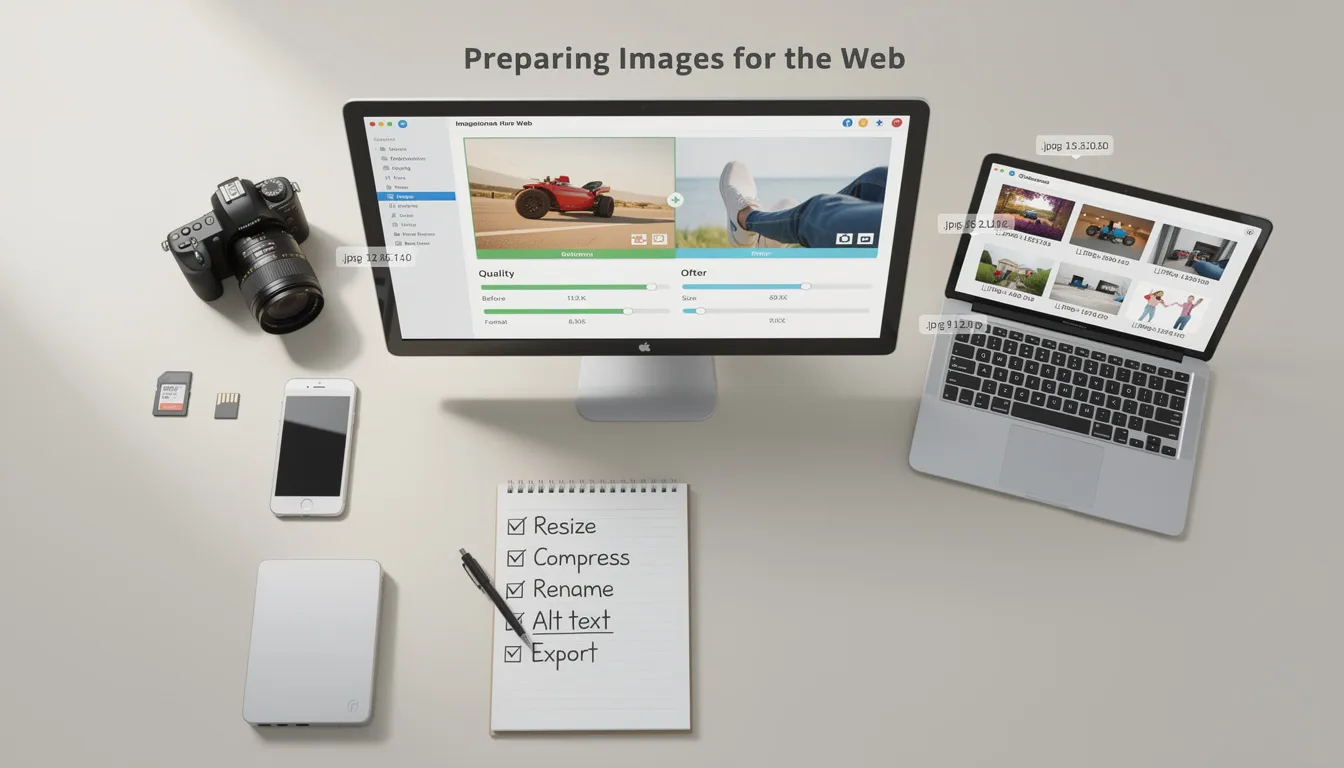
To ensure your images contribute positively to your SEO efforts, it’s important to start with the right preparation:
-
Choose the right image format: Selecting the appropriate format, such as JPEG for photographs or PNG for graphics with transparency, balances image quality and file size effectively. Google supports formats including BMP, GIF, JPEG, PNG, WebP, SVG, and AVIF.
-
Resize images: Large images can significantly increase image file sizes and slow down your site. Use tools like Adobe Photoshop or GIMP to resize images to the exact dimensions required for your website layout, reducing unnecessary file size and improving loading times.
-
Compress images: Utilize compression tools like TinyPNG or Squoosh to further reduce file sizes without sacrificing image quality. Efficient compression helps maintain high image quality while enabling faster loading, which positively impacts SEO.
-
Use descriptive filenames: Before uploading, rename your image files with clear, concise, and keyword-rich file names that describe the image content. This practice helps search engines process images and improves your chances of ranking. Avoid generic filenames like “image1.jpg” or special characters that can cause indexing issues.
-
Avoid special characters in filenames: Stick to alphanumeric characters and hyphens to ensure compatibility across all browsers and systems, preventing indexing problems.
Optimizing Image Elements

Properly embedding and describing images on your web pages is critical for SEO success:
-
Use standard HTML image elements: Embedding images with the <img> tag ensures search engines can find and process images. Google does not index CSS background images, so avoid using CSS images for important visuals.
-
Add descriptive alt text: The alt attribute is the most important attribute for image SEO and accessibility. It should clearly describe the image content and include relevant keywords naturally when appropriate. This improves accessibility for users relying on screen readers and helps search engines understand the image.
-
Utilize the src attribute: Specify the image source accurately to ensure proper loading and indexing.
-
Implement the srcset attribute for responsive images: This attribute allows serving different image versions based on screen size, enhancing load times and user experience across various devices. Always include a fallback URL using the src attribute for browsers that do not support srcset.
-
Avoid keyword stuffing in alt text: Focus on meaningful, descriptive alt text rather than overloading it with keywords, which can negatively impact SEO and user experience.
Image Description and Context

Images perform best when they are contextually relevant and well-explained:
-
Place images near relevant text: Position images close to related content to help search engines associate the image with the topic and improve ranking potential.
-
Use image captions: Adding captions provides more metadata and context, improving user engagement and helping search engines understand the image’s significance.
-
Ensure image relevance: Use images that support your page’s message and avoid unclear images or misleading visuals.
-
Describe complex images: For infographics or diagrams, include descriptive text to aid comprehension and accessibility.
-
Align images with headings: Placing images near relevant headings or subheadings helps structure your content and supports SEO.
Adding Context with Structured Data
Structured data enhances how search engines interpret your images:
-
Add structured data: Implement schema.org’s ImageObject markup to provide more metadata such as creator, license, and description, enriching search results and enabling rich results with image badges.
-
Enable rich results: Proper structured data can trigger image badges and other rich snippets in search listings, increasing click-through rates.
-
Validate structured data: Use tools like Google’s Structured Data Markup Helper to ensure your markup is correctly implemented.
Image Sitemaps and Indexing
Helping search engines find and index your images is crucial:
-
Create an image sitemap: This XML file lists all images on your site, making it easier for search engines to discover and index them.
-
Submit to Google Search Console: Use the Sitemaps feature to submit your image sitemap, ensuring proper indexing.
-
Include image URLs and metadata: Use the image attribute in your sitemap to provide detailed information.
-
Ensure crawlability: Avoid missing alt text or unclear file names that might prevent indexing.
-
Leverage tools like Yoast SEO: Plugins can automate sitemap creation and improve image indexing.
Page Optimization for Images
Optimizing the pages hosting your images amplifies their SEO impact:
-
Optimize page titles and descriptions: Include target keywords and descriptive text to improve how your pages and title links appear in search results.
-
Use header tags effectively: Structure your content with headings that highlight important keywords.
-
Maintain relevant content: Ensure page text supports image optimization without keyword stuffing.
-
Implement internal linking: Connect related pages to enhance user navigation and engagement.
-
Improve page load times: Compress images and use caching to speed up your site, benefiting both users and SEO.
Technical Optimization
Technical best practices ensure images perform well across devices:
-
Use responsive images: Serve appropriately sized images for different screen sizes to improve user experience and reduce file size.
-
Implement lazy loading: Delay loading images until they appear in the user’s viewport to reduce initial load times and improve performance.
-
Compress images efficiently: Balance file size and quality to optimize performance without negatively impacting image quality.
-
Choose proper image formatting: Use JPEG for photos and PNG for graphics to enhance load times and clarity.
-
Utilize performance tools: Google PageSpeed Insights can help identify and fix optimization issues.
Advanced Image SEO Techniques
Take your image SEO to the next level with these strategies:
-
Use content delivery networks (CDNs): Distribute images globally to reduce load times and improve reliability.
-
Implement image caching: Store images locally on users’ devices to speed up repeat visits.
-
Leverage optimization plugins: Tools like Yoast SEO automate many optimization tasks, saving time.
-
Explore AI-powered tools: Advanced software can enhance image quality and reduce file sizes intelligently.
-
Analyze performance: Use platforms like Semrush to monitor and improve your image SEO.
Content Delivery Networks (CDNs)
CDNs play a crucial role in image delivery:
-
Select reputable providers: Choose services like Cloudflare or MaxCDN for dependable performance.
-
Configure optimization settings: Enable features such as image compression and caching.
-
Ensure proper implementation: Use plugins like CDN Enabler to avoid common pitfalls.
-
Monitor regularly: Tools like Pingdom help track CDN efficiency and identify improvements.
Descriptive Alt Text and Filenames
Clear and descriptive metadata is key:
-
Craft meaningful image alt text: Describe images accurately to enhance accessibility and SEO.
-
Include keywords thoughtfully: Use target keywords where relevant but avoid overuse.
-
Use descriptive file names: Rename files with concise, keyword-rich names before uploading.
-
Avoid generic names: Steer clear of filenames like “image1.jpg” that provide no context.
-
Automate with SEO tools: Plugins can help generate optimized alt text and filenames.
Tools for Image Optimization
Equip yourself with the right tools:
-
Compression tools: TinyPNG, Squoosh, and others reduce file sizes efficiently.
-
Editing software: Photoshop and GIMP offer powerful image editing capabilities.
-
CDN services: Cloudflare and MaxCDN improve delivery speed.
-
SEO plugins: Yoast SEO simplifies image optimization and sitemap management.
-
Performance analyzers: Semrush and Google Analytics provide insights into SEO effectiveness.
Conclusion and Next Steps
Image SEO is an indispensable component of a comprehensive SEO strategy. By optimizing your images with descriptive alt text, proper formatting, and technical enhancements, you improve both user experience and search engine rankings. Utilizing tools and techniques such as compression, lazy loading, structured data, and image sitemaps ensures your images perform at their best.
To elevate your image SEO and overall digital presence, consider partnering with experts who specialize in these areas. Sterling Media & Communications (smcww.co.uk) offers professional services in image SEO, website optimization, and Facebook Ads management and digital marketing. You can also stay updated on the latest insights by visiting their news page. Their team of experienced web developers and SEO specialists can help you implement these strategies effectively, driving more traffic and boosting your online visibility.
Take the next step in mastering image SEO—visit smcww.co.uk today to learn how Sterling Media & Communications can transform your website’s performance and help you rank higher in search results.
Frequently Asked Questions (FAQs) About Image SEO
1. What is image SEO and why is it important?
Image SEO is the process of optimizing images on your website to improve their visibility in search engine results, including Google Images. It helps search engines understand the content and context of your images, which can drive more organic traffic to your site. Additionally, well-optimized images improve page load times and user experience.
2. How do I optimize image filenames for SEO?
Use descriptive, concise filenames that clearly indicate the image content. Incorporate relevant keywords separated by hyphens (e.g., "red-apple-fruit.jpg") and avoid generic names like "IMG001.jpg" or special characters. This helps search engines better understand and index your images.
3. What is alt text and how should I write it?
Alt text (alternative text) is a description added to the image tag that describes the image’s content for screen readers and when images fail to load. Write clear, relevant descriptions that include keywords naturally without keyword stuffing. Alt text improves accessibility and helps search engines interpret your images.
4. What image formats are best for SEO?
Commonly supported formats include JPEG, PNG, GIF, WebP, SVG, BMP, and AVIF. JPEG is ideal for photographs due to good compression and quality balance, while PNG works well for graphics requiring transparency. WebP and AVIF offer superior compression and faster loading times, improving SEO performance.
5. How can I make images responsive?
Use the HTML <img> tag with the srcset attribute or the <picture> element to provide different image sizes for various screen resolutions and devices. This ensures images load appropriately, improving user experience and page speed.
6. Why is image compression important?
Compressing images reduces file sizes, which decreases page load times and bandwidth usage without significantly affecting image quality. Faster-loading pages improve user experience and are favored by search engines.
7. What is lazy loading and should I use it?
Lazy loading delays the loading of images until they appear in the user’s viewport (visible area). This reduces initial page load times and improves performance, especially on pages with many images. Use lazy loading for images below the fold but avoid it for critical images above the fold.
8. How do structured data and image sitemaps help with image SEO?
Structured data (schema markup) provides search engines with detailed information about your images, increasing the chances of rich results and badges in image search. Image sitemaps list all images on your site, helping search engines discover and index them efficiently.
9. Should I use original images or stock photos?
Original images are preferred for SEO because they provide unique content that can differentiate your site. However, if stock photos are used, select high-quality, relevant images and avoid overused or generic visuals.
10. How do I add captions to images and why are they important?
Captions are text descriptions displayed near images that provide additional context to users. They improve user engagement and help search engines associate the image with relevant content, enhancing SEO.
11. Can image optimization affect my website’s rankings?
Yes. Optimized images improve page speed, accessibility, and relevance, all of which are ranking factors for search engines. Properly optimized images can also appear in Google Images results, driving additional traffic.
12. What tools can help with image SEO?
Tools like Adobe Photoshop, GIMP, TinyPNG, Squoosh, and SEO plugins such as Yoast SEO can assist with resizing, compressing, adding alt text, and generating image sitemaps. Performance analyzers like Google PageSpeed Insights and Semrush help monitor optimization effectiveness.
By understanding and applying these image SEO best practices, you can enhance your website’s visibility, user experience, and overall search engine performance.

0 comments