

Introduction to Robot Txt and the Robots Exclusion Protocol for Search Engines
The robot txt file is a plain text file included in the source files of most websites, serving as a foundational element of the Robots Exclusion Protocol. This protocol is a voluntary standard that allows website owners to communicate with web crawlers and other web robots, instructing them on which parts of the site to crawl or avoid. The robots.txt file tells search engines how to crawl and index a website by providing specific instructions or directives. Standard directives in robots.txt include User-agent, Disallow, Allow, and Sitemap. Major search engines like Google, Bing, and Yahoo support this protocol, but it is important to note that compliance is voluntary and not legally enforceable. The robots.txt file is a public document, and compliance with its directives is voluntary. Malicious bots, often referred to as bad bots, frequently ignore robot txt directives, and some may even use the file as a directory to find sensitive pages. The use of robots.txt for security purposes is discouraged by standards bodies, as it relies on security through obscurity.
If a robots.txt file does not exist on a website, web robots generally assume that the website owner does not wish to place any limitations on crawling the entire site, allowing bots to access all web pages freely.
Creating and Implementing a Robots.txt File
Setting up a robots.txt file is a simple yet crucial step for website owners who want to control how search engine crawlers interact with their site. To begin, create a plain text file named “robots.txt” (all lowercase) and place it in the root directory of your website—this ensures that search engines can easily find and read it. The file’s contents are made up of user agent directives, which specify which search engine crawlers the rules apply to, and disallow directives, which tell those crawlers which parts of your site they should not access.
For example, to block all search engine crawlers from accessing a private directory, you would use:
User-agent: *
Disallow: /private/
Here, “User-agent: *” targets all bots, while “Disallow: /private/” prevents them from crawling the specified folder. You can also create rules for specific user agents, such as Googlebot, to tailor crawler access as needed.
After creating your robots.txt file, it’s important to test and validate it before going live. Tools like Google Search Console offer a robots.txt Tester, allowing website owners to check for errors and ensure that the file is correctly instructing search engine crawlers. Regularly reviewing your robots.txt file in the search console helps maintain optimal crawler behavior and supports your site’s SEO goals.
Structure and Standard Directives in the Robots.txt File for Managing Web Crawlers
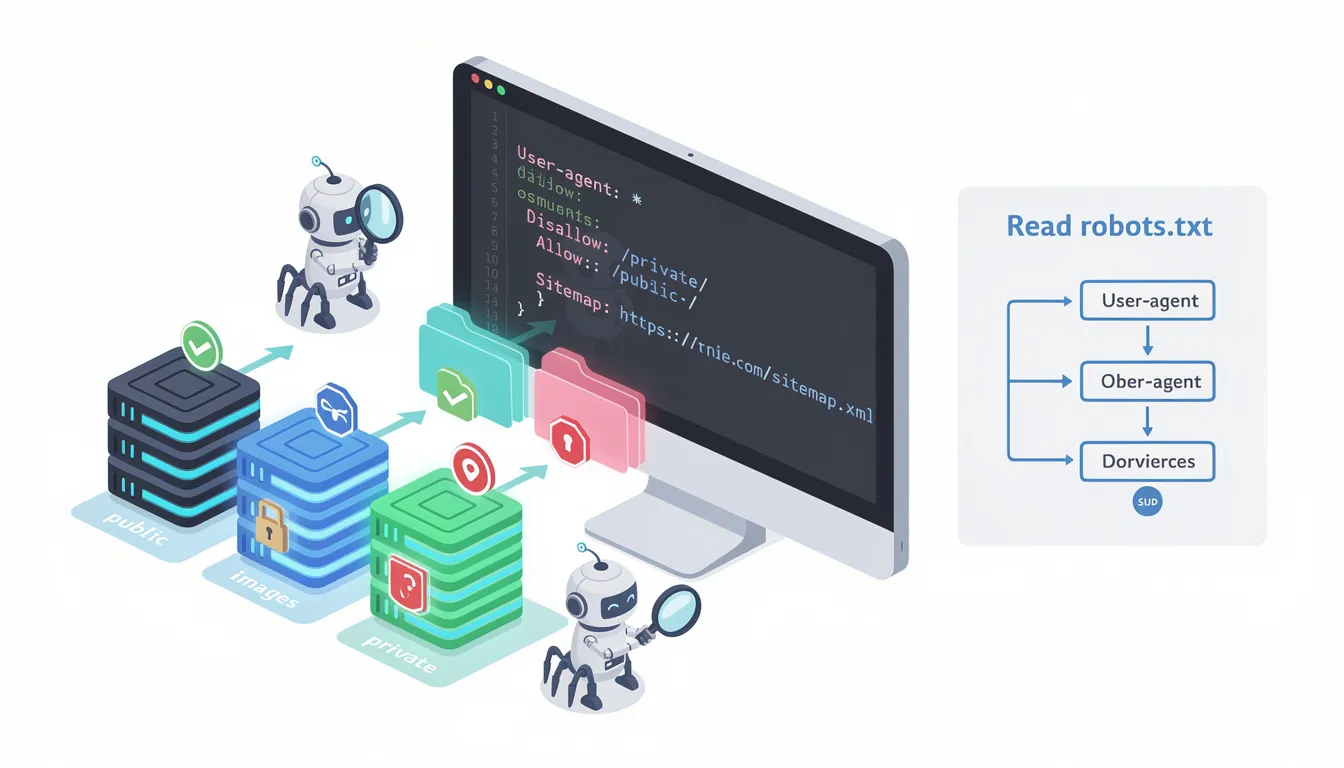
A robots.txt file is a text file without any HTML markup, hosted on the web server like any other file and typically located at the root directory of a website (e.g., www.example.com/robots.txt). When web crawlers visit a website, they usually look for this file first before crawling other pages. The server responds to crawler requests for robots.txt, and this response determines whether search engines can see and obey the directives.
The file must be named exactly “robots.txt” and saved as a plain text file, ideally encoded in UTF-8. Each subdomain and protocol (HTTP vs HTTPS) requires its own unique robots.txt file.
The directives within robots.txt are not case-sensitive, but the URL paths specified in those directives are case-sensitive. The most common standard directives include:
-
User-agent: Specifies the web crawler or bot the rules apply to. Wildcards can be used to target all bots.
-
Disallow: Indicates the path or directory that bots should not access. If no path is specified after Disallow, the directive is ignored.
-
Allow: Used to specify exceptions to Disallow rules, allowing search engines to access particular files or pages within directories that are generally blocked. The allow directive is supported by Google and Bing, enabling more precise and readable control over crawler access.
-
Sitemap Directive: Provides the full URL to the website’s XML sitemap, helping crawlers discover important pages and improving the site’s SEO by guiding search engines efficiently through the entire website.
-
Crawl-delay Directive: An unofficial directive used to specify the delay between requests to prevent server overload. Not all bots recognize it, and notably, Google’s crawler ignores this directive.
Search engines typically cache the contents of the robots.txt file, refreshing it several times a day. This caching behavior means that changes to the robots.txt file may not be immediately recognized by all bots, so site owners should plan accordingly when updating directives.
Managing Web Crawlers and Search Engines to Optimize Search Results and Site's SEO

Website owners use the robots.txt file to manage crawler behavior, such as preventing the indexing of duplicate or irrelevant content, which can improve the site’s SEO performance. However, it is crucial not to block important resources like CSS and JavaScript files, as doing so can harm site rendering and SEO.
Because robot txt operates before a page is crawled, if a page is disallowed, any meta tags such as meta robots tags or HTTP headers like the X Robots Tag on that page will be ignored by compliant bots. The meta robots tag is an HTML element used on individual web pages to control search engine indexing and crawling behavior, while robots meta tags are implemented at the page level to provide more granular control. This means that while robots.txt controls crawling, it does not directly control indexing or search results. Robots.txt, meta robots tags, and X-Robots-Tag use different mechanisms, but they can sometimes achieve the same result in controlling how search engines crawl and index content.
AI crawlers like GPTBot or OAI-SearchBot should be explicitly managed within robots.txt files to control how they access and use website content for AI training purposes. Many site owners have started including specific user agent directives to block or allow these AI bots, reflecting the growing importance of managing AI-related crawling activities.
Regular audits of the robots.txt file should be part of quarterly technical SEO checks to ensure that the rules remain accurate and effective and that search engines handle the crawling of the entire website appropriately.
Limitations and Security Considerations: Handling Bad Bots and the Public Nature of Robots.txt

Robots.txt is not a security mechanism. It is a public document accessible by anyone, including malicious actors who may use it to identify sensitive or private areas of a website. Standards bodies discourage relying on robots.txt for security, as this constitutes security through obscurity and can expose vulnerabilities rather than protect them.
Some web archiving projects ignore robots.txt directives, potentially archiving content that website owners intended to keep private.
The robots.txt file is a sensitive file in the SEO universe, as a single character mistake can break a whole site’s crawling and indexing behavior, leading to significant SEO issues. Therefore, careful testing and validation of robots.txt files before deployment are essential.
In recent years, especially in the 2020s, website operators have used robots.txt to block AI bots collecting training data for generative AI models, such as GPTBot or OAI-SearchBot. While robots.txt can be used to block AI bots and bad bots, it remains uncertain whether all AI bots will honor these directives.
Best Practices for Using Robots.txt to Enhance Your Site's SEO and Control Search Engine Crawlers
-
Place the robots.txt file in the root directory of each subdomain and protocol.
-
Use testing tools like the Google Search Console Robots.txt Tester to verify syntax before publishing.
-
Avoid overly restrictive rules that block important pages, meta tags, or resources critical for rendering and SEO.
-
Keep the file updated and audit it regularly as part of technical SEO maintenance.
-
Use the Disallow and Allow directives carefully to control crawler access precisely. For example, to block Bingbot from accessing a specific folder, you can use:
User-agent: Bingbot
Disallow: /private/
It's important to set Disallow rules correctly for different search engine user-agents like Bingbot to ensure only the intended bots are restricted from certain areas of your site.
-
Include the Sitemap Directive to help search engines find important pages efficiently and improve crawling of the entire website.
-
Understand that robots.txt controls crawling but does not control indexing; pages disallowed from crawling can still appear in search results if linked from other sites.
-
Recognize that while most good bots honor robots.txt, bad bots may ignore it, so additional security measures may be necessary for sensitive content.
Common Mistakes to Avoid When Using Robots.txt
While the robots.txt file is a powerful tool for managing how search engines and other search engine crawlers access your site, there are several common mistakes that website owners should avoid. One frequent error is blocking essential resources like CSS and JavaScript files. Preventing search engines from accessing these files can hinder their ability to render and understand your web pages, negatively impacting your site’s SEO.
Another pitfall is using the disallow directive too broadly, which can unintentionally prevent search engines from crawling important pages or sections of your website. Overly restrictive rules may result in valuable content being left out of search engine indexes, reducing your site’s visibility.
Website owners should also be cautious with the crawl delay directive. While it can help manage server load, Google’s crawler ignores this directive, and its use can lead to inconsistent behavior across other search engines. Misusing crawl delay can cause confusion and may not produce the desired effect.
Additionally, improper use of wildcards or regular expressions in the robots.txt file can have unintended consequences, potentially blocking more content than intended. Always double-check your syntax and test your rules before publishing.
Finally, remember that robots.txt files are not a security measure. Sensitive information should never be protected solely by disallowing it in robots.txt, as this does not prevent search engines or malicious bots from accessing those areas. Use proper security protocols to safeguard private data.
Tools and Resources for Robots.txt File Management
Managing your robots.txt file effectively is easier with the right tools and resources. Google Search Console offers a dedicated robots.txt Tester, allowing website owners to check their file for errors and see how search engine crawlers interpret their directives. This tool is invaluable for ensuring your robots.txt file is correctly configured and up to date.
Beyond Google Search Console, platforms like Ahrefs and SEMrush provide advanced robots.txt analysis and optimization features. These tools can help you identify issues, monitor crawler activity, and refine your txt rules for better SEO performance.
For those new to robots.txt, online generators and templates can simplify the process of creating a basic file. Additionally, comprehensive guides and documentation—such as those found in Google Webmaster Tools—offer step-by-step instructions and best practices for optimizing your robots.txt file.
By leveraging these tools and resources, website owners can confidently manage their robots.txt files, ensuring that search engine crawlers handle their sites as intended and that their SEO efforts are fully supported. Regularly reviewing your robots.txt file with these resources helps maintain a healthy, search-friendly website.
Conclusion: Leveraging the Robots.txt File and Related Meta Tags for Effective Website Management and SEO
The robots.txt file is a powerful and essential tool for website owners to manage how search engines and other bots crawl their sites. When used correctly, it can improve SEO performance, manage server load, and help protect sensitive areas from unwanted crawling. However, it is not a security tool and relies on voluntary compliance from bots. Understanding its structure, directives—including the sitemap directive, crawl delay directive, meta tags, and the X Robots Tag—and limitations is key to leveraging robots.txt effectively in website management and SEO strategy.
For website owners looking to optimize their robots.txt files and overall SEO strategy, partnering with experts can make all the difference. Sterling Media & Communications (SMC) offers professional guidance and tailored solutions to help you maximize your site's visibility and control crawler behavior effectively. Visit their website at smcww.co.uk to learn more about how Sterling Media & Communications can support your digital presence and SEO goals.
Frequently Asked Questions (FAQs) About Robots.txt
What is a robots.txt file and why is it important?
A robots.txt file is a plain text file placed in the root directory of a website that tells search engine bots which parts of the site they can crawl and which parts they should avoid. It is important because it helps website owners control crawler behavior, manage server load, prevent indexing of irrelevant pages, and improve overall SEO performance.
How does robots.txt affect search engine results?
Robots.txt controls crawling but does not directly control indexing. Pages blocked by robots.txt may still appear in search engine results if other pages link to them. To prevent indexing, website owners should use meta robots tags like "noindex" on the page itself, which requires the page to be crawlable.
Can robots.txt block all bots from my website?
Yes, by using the Disallow directive with a wildcard user-agent, you can block all compliant search engine bots from crawling any part of your website. However, robots.txt relies on voluntary compliance, so malicious bots may ignore these rules.
What are the most common directives used in robots.txt files?
The most common directives include:
-
User-agent: Specifies which bot the rule applies to.
-
Disallow: Tells bots which paths or directories not to crawl.
-
Allow: Overrides Disallow to permit access to specific pages.
-
Sitemap: Provides the URL of the website’s XML sitemap.
-
Crawl-delay: Suggests a delay between requests to reduce server load (not supported by all bots).
How do I block specific bots like Googlebot or Bingbot?
You can add specific User-agent directives for bots such as Googlebot, Bingbot, Googlebot-News, or Googlebot-Video, followed by Disallow rules to block them from certain directories or pages. For example, to block Googlebot from a folder, use:
User-agent: Googlebot
Disallow: /private-folder/
Similarly, to block Bingbot from accessing a folder, use:
User-agent: Bingbot
Disallow: /private-folder/
Can I allow some bots to crawl certain pages while blocking others?
Yes, robots.txt supports multiple robots with specific instructions. You can create separate blocks of directives for different user agents, giving specific instructions to each bot while applying general rules to all others.
How can robots.txt help with managing duplicate content?
By disallowing bots from crawling URLs that generate duplicate content (such as filtered or parameterized pages), you can prevent search engines from indexing irrelevant or redundant pages, improving your site’s SEO and crawl efficiency.
Should I block CSS and JavaScript files in my robots.txt?
No. Blocking CSS and JavaScript files can harm your site's SEO because search engines need to access these resources to render and understand your pages properly. Always allow access to these specific files.
What is the Sitemap directive and why should I include it?
The Sitemap directive tells search engine bots where to find your XML sitemap, which lists all important pages on your site. Including this directive helps bots crawl your valuable content more efficiently and improves your site's visibility in search engine results.
How often should I update and audit my robots.txt file?
It is best practice to audit your robots.txt file regularly, ideally as part of quarterly technical SEO checks. This ensures that the rules remain accurate, prevent blocking important pages, and adapt to any changes in your website structure.
Can robots.txt block AI bots like GPTBot?
Yes, you can block AI bots by specifying their user agents in your robots.txt file. Many websites have started blocking AI crawlers to protect their content from being used for AI training. However, not all AI bots may honor these directives.
Is robots.txt a security tool?
No. Robots.txt is not designed for security and should not be relied upon to protect sensitive information. Because the file is publicly accessible, malicious bots may use it to find restricted areas. Use proper security measures to protect sensitive data.
What happens if I make a mistake in my robots.txt file?
Even a small syntax error or incorrect directive can block important pages from being crawled and indexed, severely impacting your site's SEO. Always test your robots.txt file using tools like Google Search Console's Robots.txt Tester before publishing.
Where should I place my robots.txt file?
The robots.txt file must be placed in the root directory of your website (e.g., https://www.example.com/robots.txt). Each subdomain and protocol requires its own robots.txt file.
How do search engines handle crawl delay directives?
The crawl-delay directive is an unofficial command that instructs bots to wait a specified number of seconds between requests. While Bing, Yahoo, and Yandex support it, Google's crawler ignores this directive, but allows crawl frequency adjustments via Google Search Console.
Can robots.txt prevent pages from appearing in Google search results?
No, robots.txt only controls crawling, not indexing. To prevent pages from appearing in Google search results, use meta robots tags with the "noindex" directive on the pages themselves, ensuring the pages are crawlable.
How can I test if my robots.txt file is working correctly?
Use testing tools such as Google Search Console's Robots.txt Tester or third-party robots.txt validators to check your file's syntax and see which URLs are blocked or allowed for specific user agents.
What is the difference between robots.txt, meta robots tags, and X-Robots-Tag headers?
-
Robots.txt controls crawling at the site or directory level before a page is accessed.
-
Meta robots tags are HTML tags on individual pages that control indexing and crawling after the page is crawled.
-
X-Robots-Tag headers are HTTP headers that apply similar controls to non-HTML files like PDFs or images.
Using these tools together gives website owners control over both crawling and indexing.
Can I use wildcards or regular expressions in robots.txt?
While the original Robots Exclusion Protocol does not officially support wildcards or regular expressions, most major search engines recognize simple wildcards like "*" and "$" to allow more flexible rules.
What should I do if I want to block all bots except one specific robot?
Create a general block for all bots using User-agent: * and Disallow: /, then add a separate block for the specific robot with User-agent: [robot name] and Allow: / to permit access.
These FAQs aim to provide website owners with clear, specific instructions and best practices to optimize their robots.txt files effectively, ensuring better control over search engine bots and improving SEO performance.

0 comments